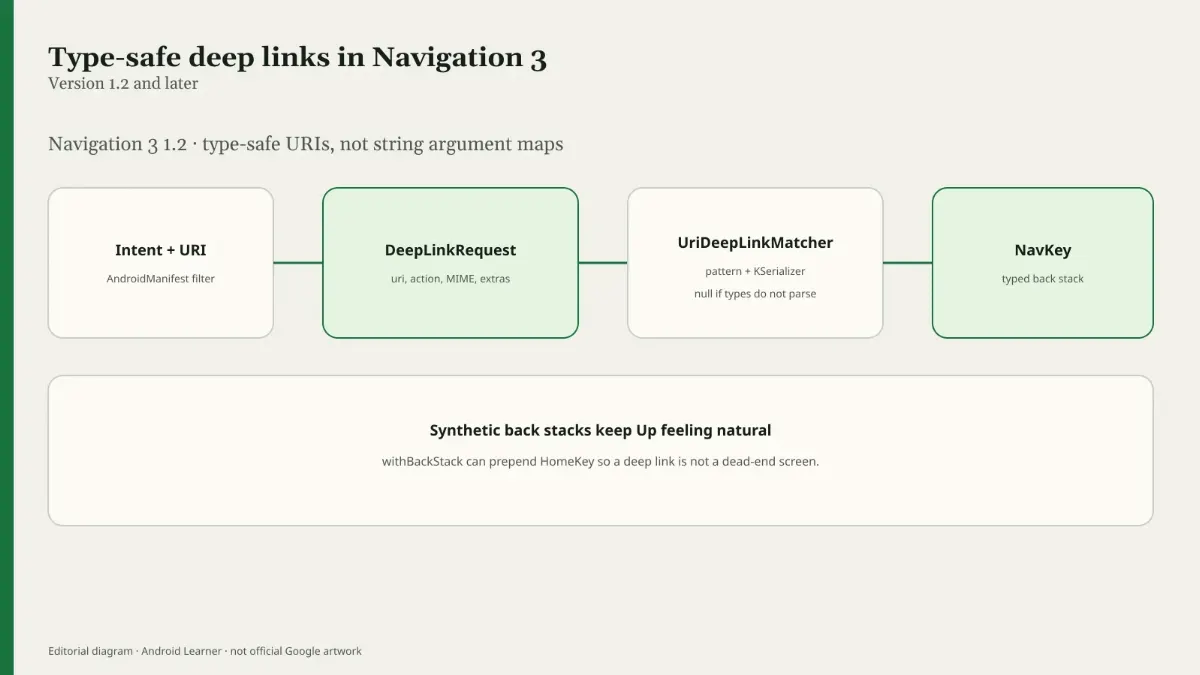
Deep links used to mean a lot of stringly-typed arguments: a path pattern in the manifest, a bundle extra, a toInt() that might throw, and a back stack that felt wrong when the user arrived in the middle of a flow. Starting in Navigation 3 version 1.2.0, Jetpack gives you a type-safe alternative built on DeepLinkRequest, DeepLinkMatcher, and kotlinx.serialization.
The official documentation, last updated 10 November 2026 for the overview and kept in sync with the November Compose train, is Support deep links and Match URI deep links. Android Developers also walked through the design in the Android Developer Summit talk Building type-safe deep links with Jetpack Navigation 3. This post turns those pages into a working path you can drop into a Navigation 3 app.
Advertisement
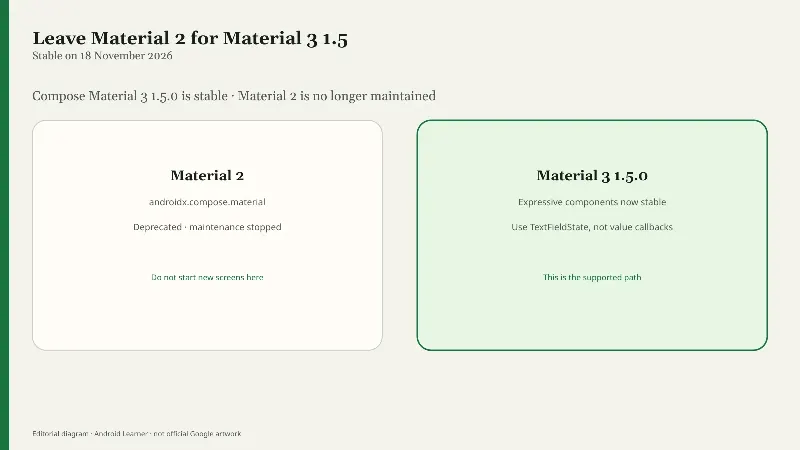
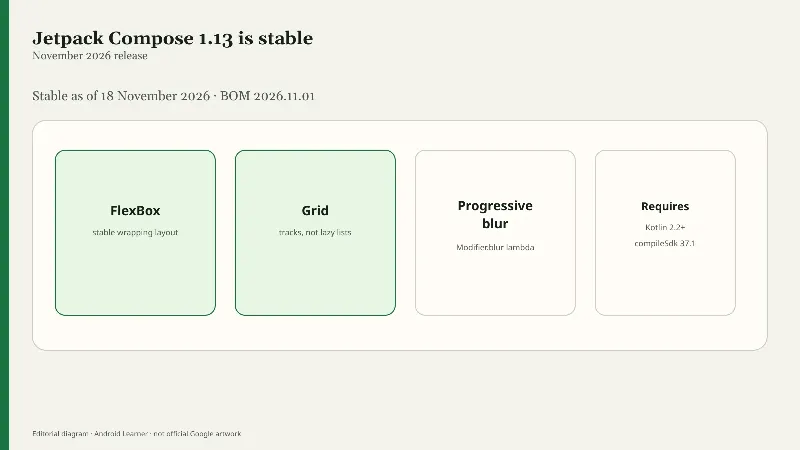
If you are also upgrading layouts and Material in the same quarter, see Jetpack Compose 1.13 and the Material 3 1.5 migration. Deep linking is independent of those, but the November documentation refresh landed in the same week.
The three official steps
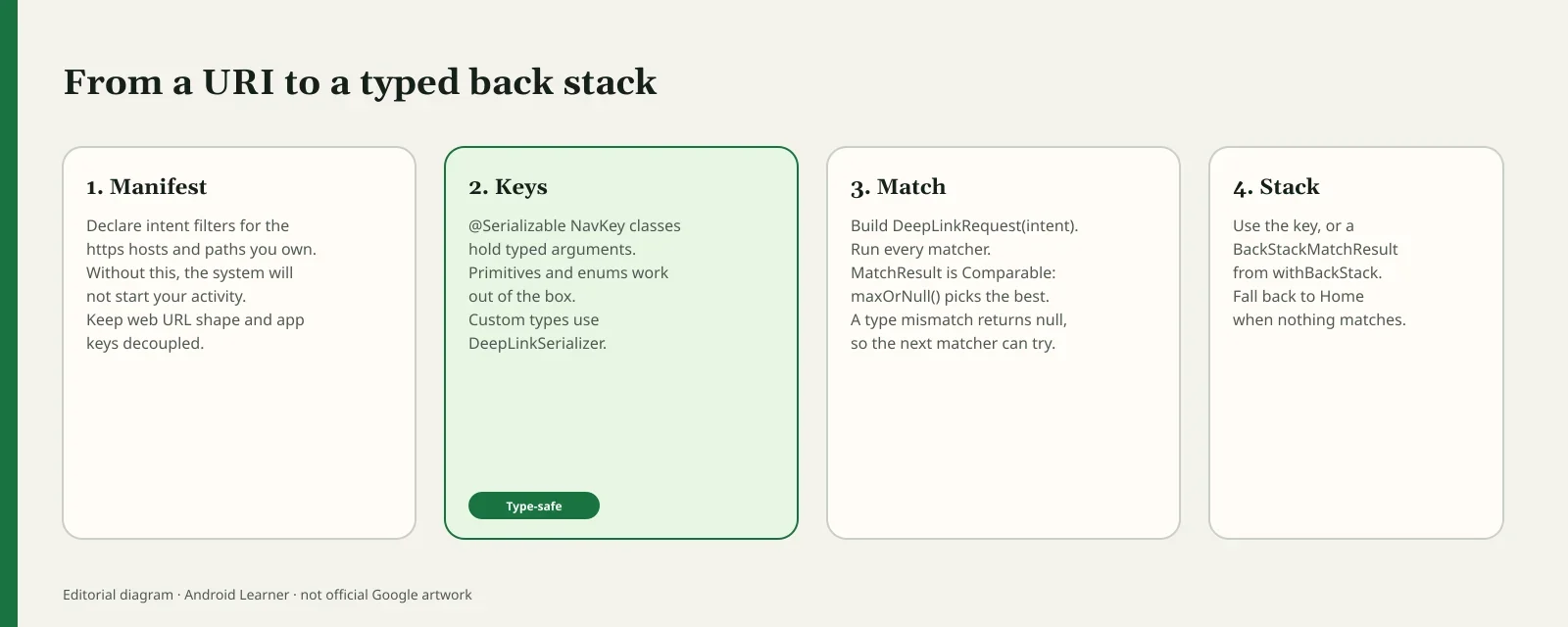
Google’s overview is short on purpose:
- Declare intent filters in
AndroidManifest.xmlfor the URIs your activity can handle. - Create
DeepLinkMatcherinstances that map an incoming request to a navigation key. - In
onCreateoronNewIntent, build aDeepLinkRequest, run the matchers, and update the back stack.
Skip the manifest and the system will never start your activity. Skip the typed matchers and you are back to parsing intent.data by hand. Skip the back-stack step and a user who opens https://www.example.com/users/42 lands on a profile with no Home behind it, so Up or Back exits the app.
Declare the links you actually own
Intent filters are still platform configuration, not a Navigation 3 DSL. Use the host and path you really serve, and keep autoVerify in mind for App Links. The official “Add intent filters for incoming links” guidance still applies here.
<!-- AndroidManifest.xml -->
<activity
    android:name=".MainActivity"
    android:exported="true"
    android:launchMode="singleTop">
    <intent-filter android:autoVerify="true">
        <action android:name="android.intent.action.VIEW" />
        <category android:name="android.intent.category.DEFAULT" />
        <category android:name="android.intent.category.BROWSABLE" />
        <data
            android:scheme="https"
            android:host="www.example.com"
            android:pathPrefix="/users" />
    </intent-filter>
</activity>
singleTop is a common choice so a warm activity receives onNewIntent instead of stacking a second task. Match that with the same handling in both onCreate and onNewIntent.
Model destinations as serializable keys
A NavKey is a typed destination, not a route string. For URI matching, annotate it with @Serializable and give each path or query argument a property. UriDeepLinkMatcher uses kotlinx.serialization to fill those properties from the URI.
// UserProfileKey.kt
@Serializable
data class UserProfileKey(val id: Int) : NavKey

@Serializable
data class HomeKey(val fromDeepLink: Boolean = false) : NavKey
Supported out of the box, per the URI matcher docs: primitives (Boolean, Int, Long, Float, Double, Char, Byte, Short) and String; enums; Set, List, or Array of those; and nested @Serializable classes whose properties flatten into individual placeholders. Optional arguments are ordinary properties with default values. If a required non-nullable property is missing, or "abc" cannot parse as an Int, match returns null. That is a miss, not a crash, so a later matcher can still win.
Maps and nested collections such as List<List<T>> are not supported and throw during matching rather than returning null. That is documented as an unsupported configuration, not something to discover in production.
Match a URI with UriDeepLinkMatcher
Create a matcher with a DeepLinkUri pattern and the serializer for the key. Placeholders in the pattern line up with property names.
// DeepLinks.kt
val userProfilePattern = DeepLinkUri("www.example.com/users/{id}")
val userProfileMatcher = UriDeepLinkMatcher(
    uriPattern = userProfilePattern,
    serializer = serializer<UserProfileKey>(),
).withBackStack { matchResult ->
    listOf(HomeKey(), matchResult.key)
}

val request = DeepLinkRequest(uri = "https://www.example.com/users/123")
val key = userProfileMatcher.match(request)?.key
// UserProfileKey(id = 123)
The first snippet is the official getting-started shape; the withBackStack wrapper is the documented way to build a synthetic stack so the profile is not a dead-end. On Android, DeepLinkUri is a typealias of android.net.Uri. The matcher accepts a request built from a string, a DeepLinkUri, or — most useful in an activity — an Intent.
val request = DeepLinkRequest(intent = intent)When you construct from an Intent, the URI comes from intent.data. If they are present, action and MIME type are stored under DeepLinkRequest.ActionExtrasKey and MimeTypeExtrasKey. Non-null intent.extras are saved under IntentExtrasKey. You can add your own typed extras by implementing RequestExtrasKey.
For links that do not need arguments, StaticKeyDeepLinkMatcher maps a filter (for example an ACTION_VIEW) straight onto a key. For schemes the URI matcher does not handle, such as tel:, the docs point you at a custom DeepLinkMatcher.
Custom types with DeepLinkSerializer
When a single path or query parameter is not a primitive — a packed product id, a LocalDate, a comma-separated filter — extend DeepLinkSerializer<T>. It is an abstract KSerializer<T> that converts between a String and your type, and it is compatible with rememberSerializable / rememberNavBackStack.
// ProductSerializer.kt
object ProductSerializer : DeepLinkSerializer<Product>() {
    override val serialName: String = "Product"
    override fun deserialize(value: String): Product = Product.parse(value)
    override fun serialize(value: Product): String = value.encode()
}

@Serializable
data class ProductDetailsKey(
    @Serializable(with = ProductSerializer::class) val product: Product,
    val quantity: Int,
) : NavKey

val productMatcher = UriDeepLinkMatcher(
    uriPattern = DeepLinkUri(
        "www.example.com/products?product={product}&quantity={quantity}",
    ),
    serializer = serializer<ProductDetailsKey>(),
)
quantity still uses standard serialization. Only the custom object needs the annotation. This is the pattern from the official DeepLinkSerializer recipe and the API reference examples.
The design goal, emphasized in the Summit talk, is to decouple the web URL you may not control from the typed keys in the app. If marketing changes a query name, you adjust the pattern or the serializer, not every screen that reads a bundle.
Wire it up in the activity
Collate the matchers, including ones with different key types, as List<DeepLinkMatcher<*, *>>. MatchResult implements Comparable, so maxOrNull() picks the best match after you discard nulls. Then build a List<NavKey> for NavDisplay / rememberNavBackStack.
// MainActivity.kt
val deepLinkMatchers: List<DeepLinkMatcher<*, *>> = listOf(
    StaticKeyDeepLinkMatcher(
        HomeKey(),
        listOf(DeepLinkMatcher.actionFilter(Intent.ACTION_VIEW)),
    ),
    userProfileMatcher,
    productMatcher,
)

class MainActivity : ComponentActivity() {
    override fun onCreate(savedInstanceState: Bundle?) {
        super.onCreate(savedInstanceState)
        val backStack = backStackFor(intent)
        setContent { App(startBackStack = backStack) }
    }

    override fun onNewIntent(intent: Intent) {
        super.onNewIntent(intent)
        setIntent(intent)
        // Replace or push onto the current Navigation 3 back stack
        // with the same backStackFor(intent) result.
    }

    private fun backStackFor(intent: Intent): List<NavKey> {
        val request = DeepLinkRequest(intent = intent)
        val matchResult = deepLinkMatchers
            .mapNotNull { it.match(request) }
            .maxOrNull()
        return when (matchResult) {
            null -> listOf(HomeKey())
            is BackStackMatchResult<*, *> -> {
                @Suppress("UNCHECKED_CAST")
                matchResult.backStack as List<NavKey>
            }
            else -> listOf(matchResult.key as NavKey)
        }
    }
}
That when is the official overview sample, cleaned up only enough to compile as a single function. The unchecked cast is also theirs: star-projected matchers erase the key type. Keep the list in one module so a new destination cannot ship a key without a matcher.
Test the misses. A path that does not match should open HomeKey, not a half-built profile. A {id} that is not an Int should fall through. And a successful user URL should show HomeKey then UserProfileKey, so Back works the way a user who arrived from a browser expects.
If the deep link opens a screen that then loads local data, the usual offline rules still apply. Our Room and WorkManager offline-first notes cover that layer; Navigation 3 will not fetch the user for you.
FAQ
Does Navigation 3 replace intent filters? No. Version 1.2 matches URIs after the system has already delivered an Intent to your activity. You still declare filters in the manifest.
What happens when a parameter has the wrong type? UriDeepLinkMatcher.match returns null. It does not throw for an ordinary parse miss. Unsupported key shapes, such as Map arguments, are a different case and can throw at match time.
Can I attach extra analytics fields without breaking older links? Yes. Give those properties default values on the key so older URLs still match.
Sources
- Support deep links, Android Developers, last updated 10 November 2026.
- Match URI deep links.
- DeepLinkSerializer recipe and DeepLinkSerializer API.
- What’s new in the Jetpack Compose November ‘26 release (documentation updates covering Navigation 3 deep links), 18 November 2026.
- Build for every screen with the latest Jetpack Compose updates, 4 November 2026.
- Building type-safe deep links with Jetpack Navigation 3, Android Developer Summit.
Diagrams are original editorial illustrations for Android Learner, not Google assets.