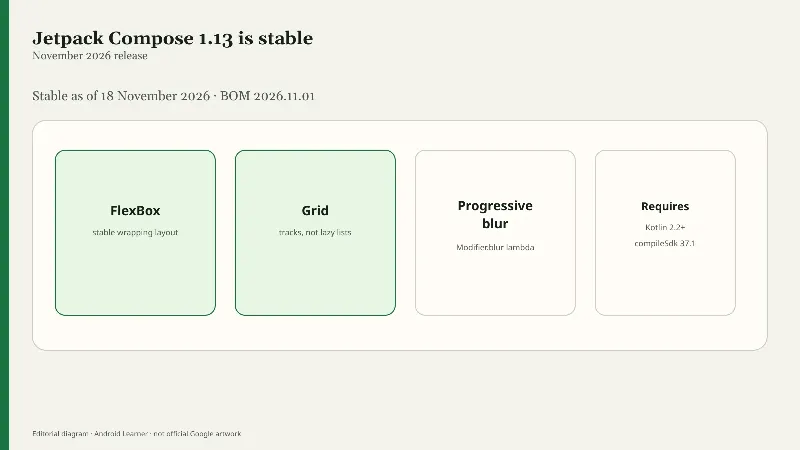
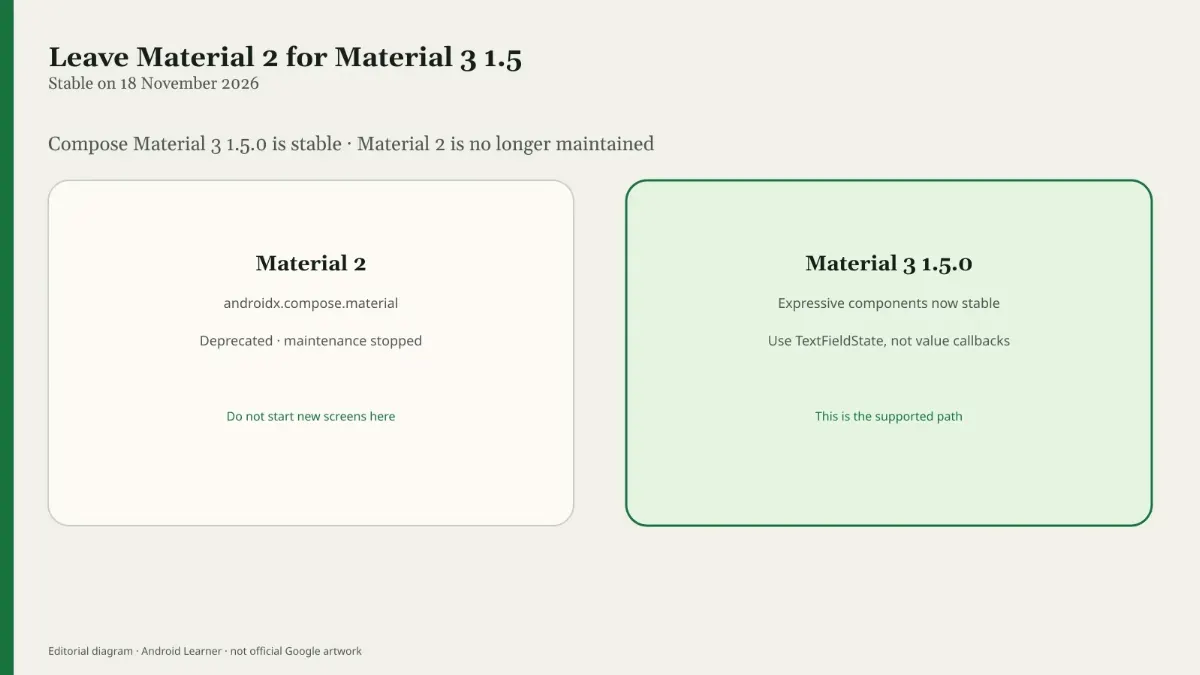
Compose Material 3 1.5.0 became stable on 18 November 2026, in the same train as Jetpack Compose 1.13. The Material Design blog and the Compose November ‘26 release post say the same thing in plain language: as Material 3 enters its sixth year, the Compose Material 2 library is deprecated and no longer actively maintained.
That is stronger than “we prefer Material 3.” androidx.compose.material will not get new features, and Google is no longer actively maintaining it. The library is not being deleted in this release. Existing Material 2 screens still compile. But if you want bug fixes, accessibility work, and the current Android design language, Material 3 1.5.0 is the supported toolkit.
Advertisement
This guide covers the migration you should actually do now: swap the dependency and theme, move components to their Material 3 equivalents, and replace deprecated value-based text fields with TextFieldState. For the BOM, Kotlin 2.2, and compileSdk 37.1 requirements that come with this train, start with What’s new in Jetpack Compose 1.13.
What 1.5.0 actually ships
Material’s own stable-release post is the best checklist. In 1.5.0:
- Experimental annotations dropped from 120 to 58, a cut the Compose release post puts at 52 percent.
- Almost every new Expressive component graduated to stable, including split buttons, button groups, shape-morphing toggle buttons and chips, floating toolbars, wavy progress indicators, and nested menus.
- Long-standing components such as app bars, search, sliders, carousels, and
BasicAlertDialogare stable. SliderandRangeSlidermoved to a stateful model withSliderState.- Expressive color schemes, shapes, and motion are stable. You can set a custom brand font across the type scale at once.
- The
material3-rippleartifact adds inset focus rings. - Focus order and keyboard support improved across date pickers, time pickers, sliders, scaffolds, and navigation components.
The important product claim, also from Material: every core Material 2 component now has a stable Material 3 equivalent. You are no longer waiting on a missing widget to start the migration.
Step 1: add Material 3 beside Material 2
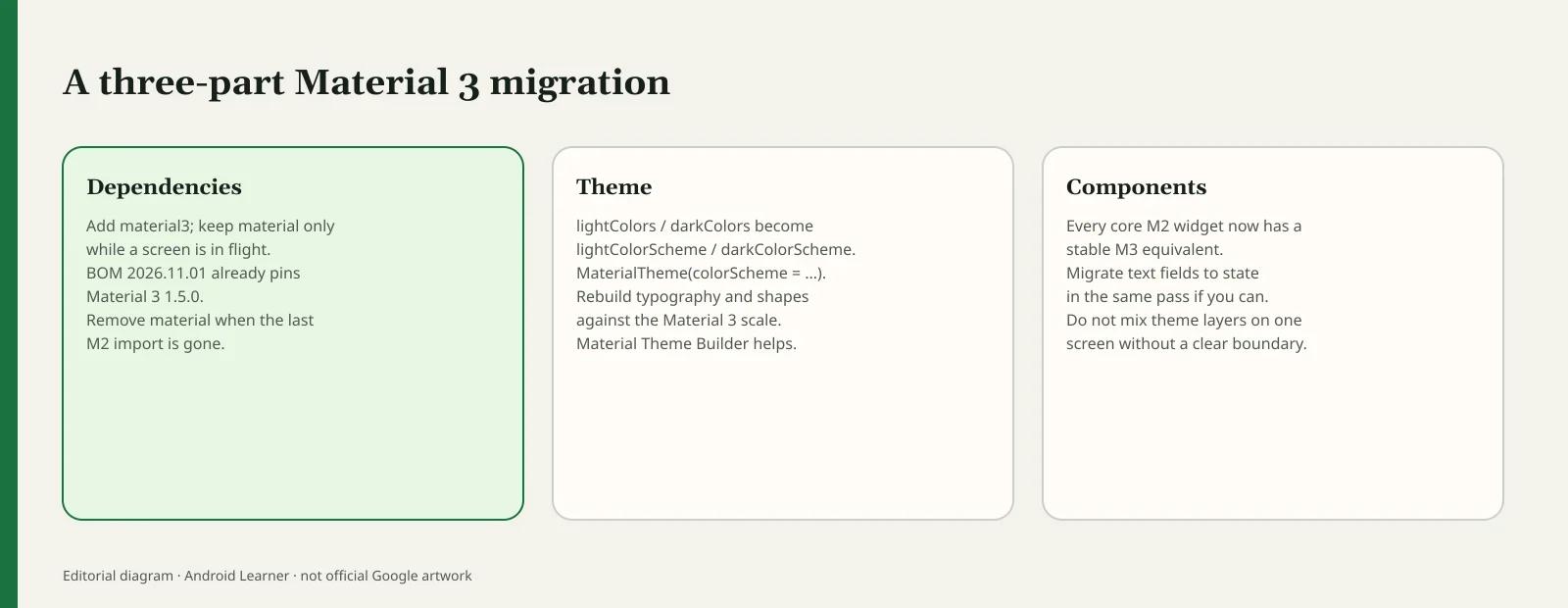
The official Material 2 to Material 3 migration guide still recommends adding Material 3 alongside Material 2 so you can move screen by screen. With BOM 2026.11.01, the version is already pinned:
// app/build.gradle.kts
dependencies {
    implementation(platform("androidx.compose:compose-bom:2026.11.01"))
    implementation("androidx.compose.material3:material3")
    // Keep this only while leftover M2 screens remain:
    implementation("androidx.compose.material:material")
}
Use fully qualified imports or a clear package split (theme.m2 versus theme.m3) so a file cannot silently call the wrong MaterialTheme or Button. When the last androidx.compose.material import is gone, drop the Material 2 artifact.
Step 2: rebuild the theme
Material 2 themes are built with lightColors / darkColors and passed as colors. Material 3 uses lightColorScheme / darkColorScheme and colorScheme. Typography and shapes also changed; do not copy a Material 2 Typography object across and expect the type scale to line up.
// Theme.kt
import androidx.compose.foundation.isSystemInDarkTheme
import androidx.compose.material3.MaterialTheme
import androidx.compose.material3.darkColorScheme
import androidx.compose.material3.lightColorScheme
import androidx.compose.runtime.Composable

private val LightColors = lightColorScheme()
private val DarkColors = darkColorScheme()

@Composable
fun AndroidLearnerTheme(
    darkTheme: Boolean = isSystemInDarkTheme(),
    content: @Composable () -> Unit,
) {
    MaterialTheme(
        colorScheme = if (darkTheme) DarkColors else LightColors,
        content = content,
    )
}
Replace those default schemes with your brand palette. Android Developers still point teams at Material Theme Builder to expand a primary color into a full Material 3 scheme, which is a better starting point than hand-mapping every Material 2 role. Watch for names that look similar and are not: primaryVariant is gone; surface, container, and “on” roles are more specific than in Material 2.
Wrap one migrated screen at a time in the Material 3 theme. A mixed screen, where a Material 2 list item sits inside a Material 3 scaffold, is how you get contrast and padding bugs that look like “the migration broke our design.”
Step 3: move components, then delete Material 2
There is no automatic rewrite that is safe on a large app. Do it by surface: theme, then scaffold and app bars, then buttons, then lists, then dialogs, then text fields. The official catalog is the Compose Material 3 catalog. Prefer that over memory of Material 2 parameter names; several APIs changed shape as well as package.
A few mechanical patterns show up in almost every module:
androidx.compose.material.*imports becomeandroidx.compose.material3.*.MaterialTheme.colors.primarybecomesMaterialTheme.colorScheme.primary.- Elevation and surface usage often need a second look, because Material 3 leans on surface containers and tone rather than a single
elevationnumber. - View-based Material components are a separate issue. Material Views is in maintenance mode; Google’s Material 3 post tells teams to migrate those screens to Compose when they can. That is not a 1.5.0 requirement, and it should not block a Compose Material 2 to Material 3 change.
Step 4: replace value-based text fields with TextFieldState
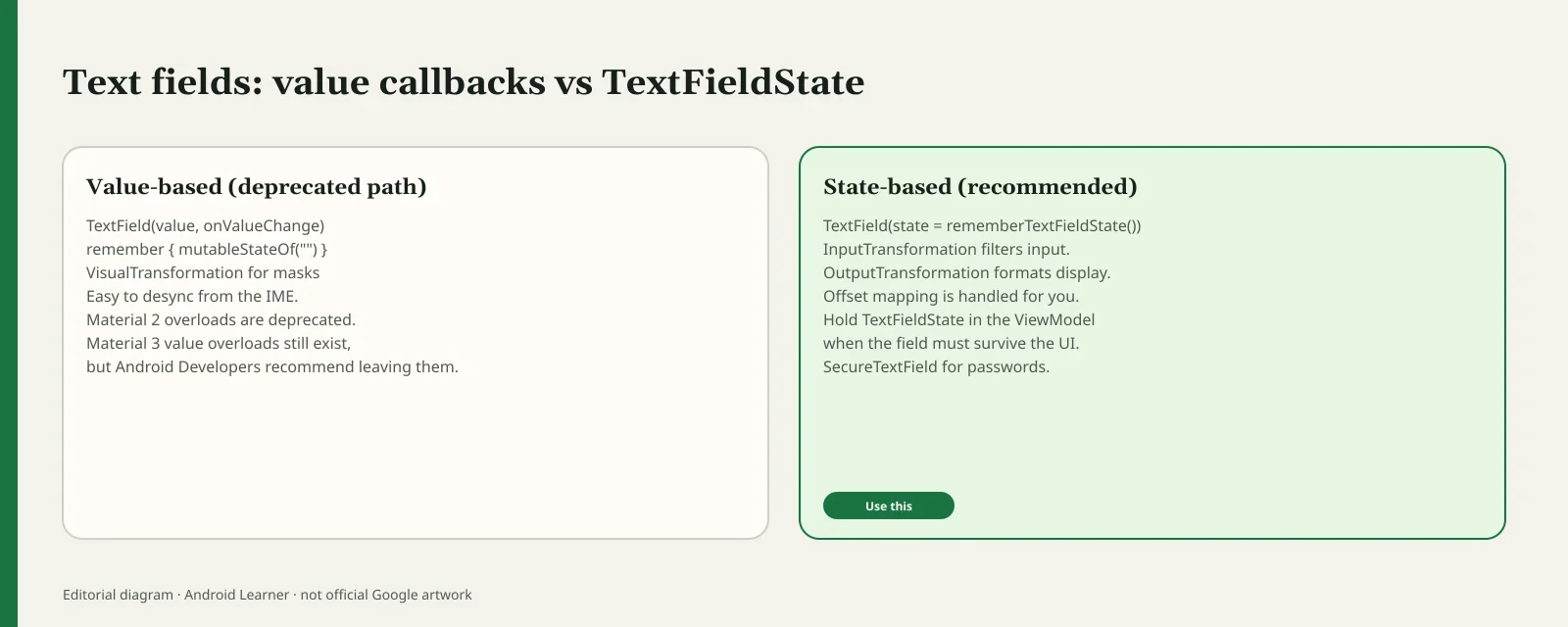
This is the part of the release that will generate compiler warnings if you skip it. In Compose 1.13, value-based BasicTextField, Material 2 TextField, and VisualTransformation are deprecated. The state-based migration guide, last updated 18 November 2026, is the source for the snippets below.
Material 3’s value-based TextField overloads are not deprecated yet in 1.5.0. Google still recommends moving to the state-based TextField and OutlinedTextField overloads now, for synchronous state, performance, and upcoming features. If you are still on Material 2, migrate directly to Material 3’s state-based fields rather than investing in the deprecated Material 2 API.
The simple case loses value, onValueChange, and singleLine:
// Before: value-based
@Composable
fun OldSimpleTextField() {
    var state by rememberSaveable { mutableStateOf("") }
    TextField(
        value = state,
        onValueChange = { state = it },
        singleLine = true,
    )
}

// After: state-based
@Composable
fun NewSimpleTextField() {
    TextField(
        state = rememberTextFieldState(),
        lineLimits = TextFieldLineLimits.SingleLine,
    )
}
Input filtering moves out of onValueChange and into InputTransformation, which runs immediately after user input and updates a TextFieldBuffer. That is the point of the new model: it avoids the IME synchronization issues of a round-trip through hoisted string state. Display formatting, such as adding dashes to a card number, moves to OutputTransformation. You no longer write an OffsetMapping by hand; the output transformation inserts characters and mapping is handled for you.
@Composable
fun CardNumberField() {
    val state = rememberTextFieldState()
    TextField(
        state = state,
        inputTransformation = InputTransformation.maxLength(16),
        outputTransformation = OutputTransformation {
            if (length > 4) insert(4, "-")
            if (length > 9) insert(9, "-")
            if (length > 14) insert(14, "-")
        },
    )
}
To set text from a repository or a paste action, call TextFieldState.setTextAndPlaceCursorAtEnd or edit the buffer with state.edit { ... }. maxLines = 10 becomes lineLimits = TextFieldLineLimits.MultiLine(maxHeightInLines = 10). Passwords use SecureTextField.
Where does the state live?
This is the question that stalls most migrations, especially if you already hoist a UiState data class through a StateFlow the way we described in Compose state hoisting and in Kotlin coroutines and Flow.
Google’s migration guide is direct: TextFieldState is a state holder backed by the Snapshot system, in the same category as StateFlow, not a View. Keeping a TextFieldState on the ViewModel is not an inherently bad practice. The recommended simple approach is to take username: String out of UiState and hold val usernameState = TextFieldState() on the ViewModel, then pass that object to TextField.
class LoginViewModel : ViewModel() {
    val usernameState = TextFieldState()
    val passwordState = TextFieldState()
}

@Composable
fun LoginForm(loginViewModel: LoginViewModel, modifier: Modifier = Modifier) {
    Column(modifier) {
        TextField(state = loginViewModel.usernameState)
        SecureTextField(state = loginViewModel.passwordState)
    }
}
If you cannot change the ViewModel yet, the guide documents a conforming approach: create a rememberTextFieldState from the current UiState strings, then push changes back with snapshotFlow { state.text.toString() } inside a LaunchedEffect. The StateFlow remains a store, but it is no longer the source of truth that drives the field. That split is what avoids the IME races described in Google’s “Effective state management for TextField in Compose” guidance, which the migration page cites.
rememberTextFieldState() already includes save-and-restore. If you construct TextFieldState in a ViewModel yourself, you have to hook saved state separately, as the Saved State module for ViewModel documentation describes.
A migration order that will actually finish
- Add Material 3 1.5.0 through BOM
2026.11.01. - Build a Material 3 theme and use it on one new or low-risk screen.
- Move scaffolds, buttons, and lists on that screen, then repeat by feature.
- Replace text fields with
TextFieldStateas you touch each form. Do not leave Material 2TextFieldin a “later” bucket; it is already deprecated. - Remove
androidx.compose.materialwhen nothing imports it.
You do not need to rewrite the entire app in a single pull request. You do need a finish line. Material 2 will not start getting the bug fixes and keyboard work that 1.5.0 just shipped on Material 3.
FAQ
Is Material 2 removed from the BOM? No. It is deprecated and no longer actively maintained. Your existing screens still compile. Plan the migration anyway; this is not a “wait for removal” situation if you want ongoing fixes.
Are Material 3 value-based TextField overloads deprecated in 1.5.0? No. The official release post says they are not deprecated yet, and still recommends the state-based overloads. Value-based BasicTextField and Material 2 TextField are deprecated in Compose 1.13.
Do I have to put TextFieldState in my ViewModel? No, but Google recommends it when the field’s source of truth lives off the composable. A String inside UiState driven back into value/onValueChange is the pattern the new API is designed to leave behind.
Sources
- Compose Material 3 1.5.0 is stable, Material Android, 18 November 2026.
- What’s new in the Jetpack Compose November ‘26 release, 18 November 2026.
- Migrate from Material 2 to Material 3 in Compose.
- Migrate to state-based text fields, last updated 18 November 2026.
- Compose Material 3 release notes.
Diagrams are original editorial illustrations for Android Learner, not Google or Material Design assets.