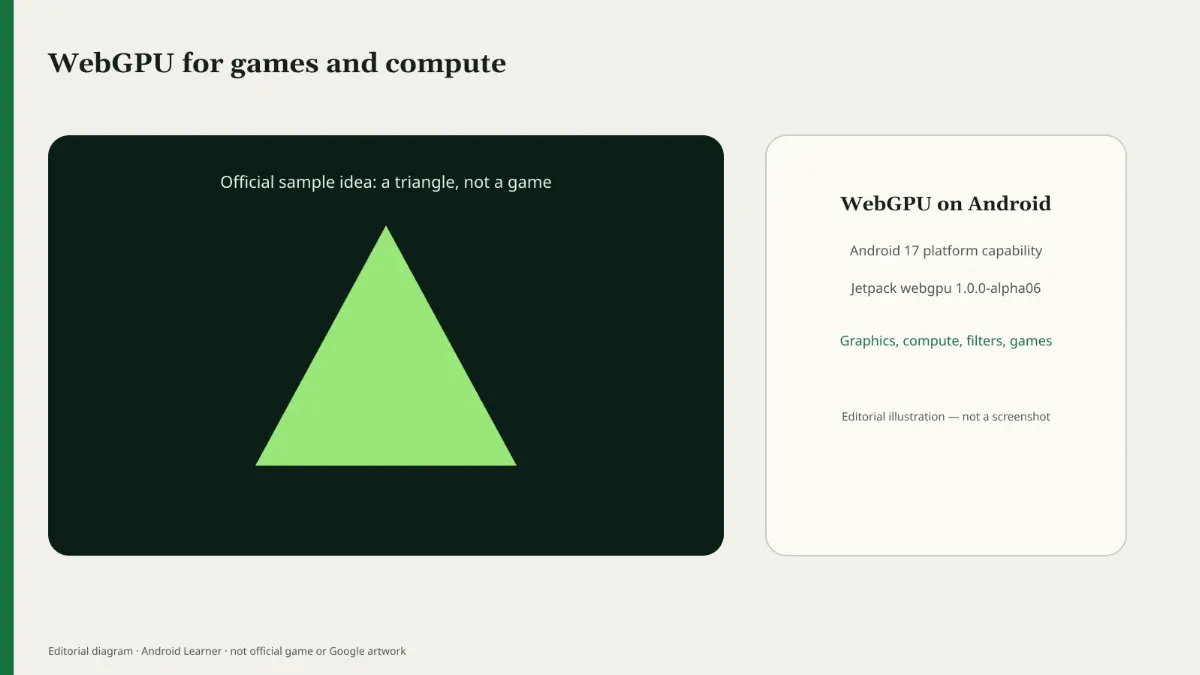
Android 17’s features and changes list, last updated 9 November 2026, includes WebGPU on Android: idiomatic Kotlin and Java APIs over Vulkan, as part of Android’s shift toward Vulkan as the primary low-level GPU API. For app and game teams that are not ready to write raw Vulkan, Jetpack now ships those bindings as androidx.webgpu.
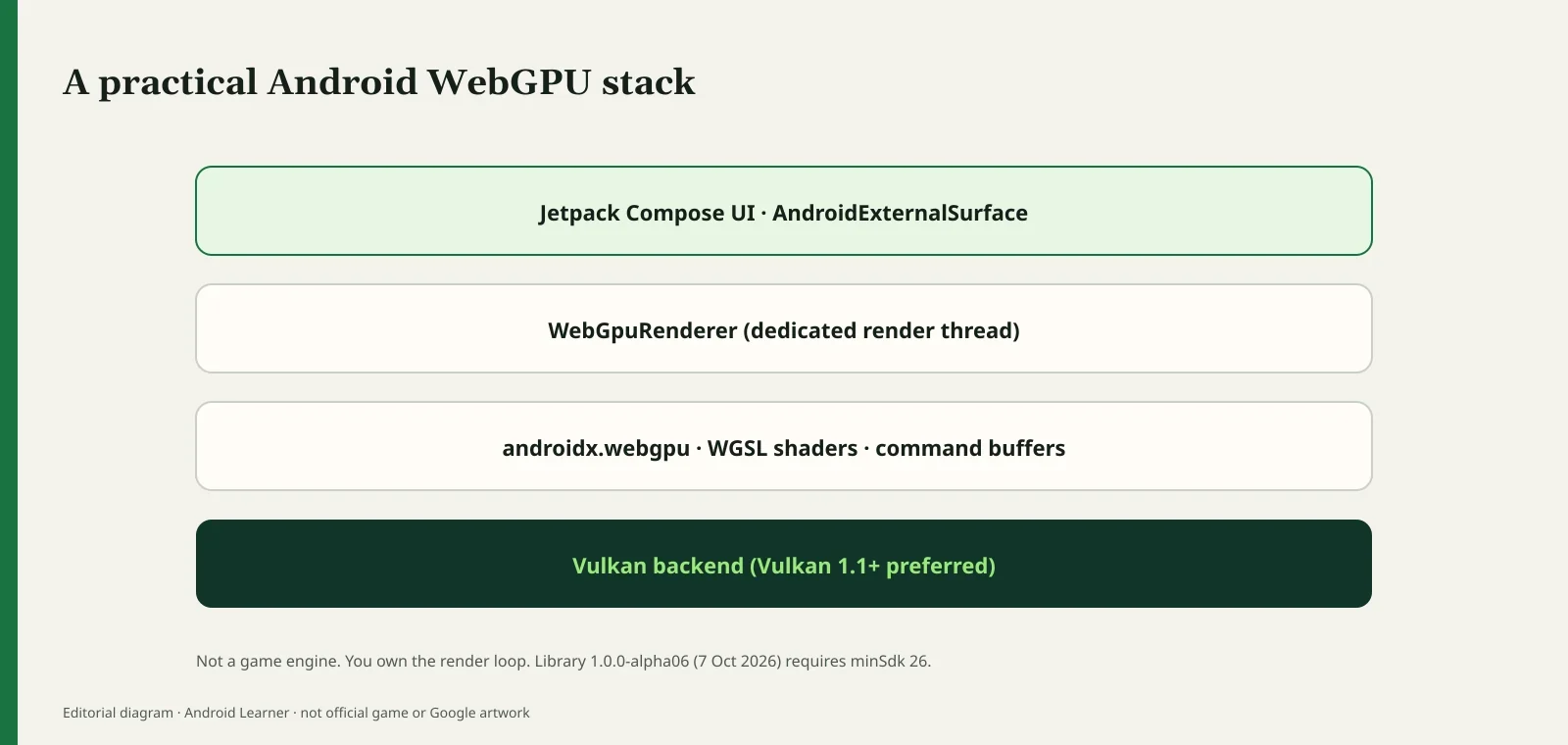
This is a graphics and compute API, not a game engine. Android Developers say so directly: you own the render loop, camera matrices, and scene graph. What you gain is a modern, less verbose GPU interface, command buffers, WGSL shaders you can share with web implementations, and copy-free buffer sharing between compute and graphics passes.
Advertisement
Where the library stands
As of 7 October 2026, the current Jetpack artifact is androidx.webgpu:webgpu:1.0.0-alpha06. There is no stable, beta, or RC build on that page. Alpha means the API can still change.
Two version facts are easy to mix up:
- The Getting started with WebGPU guide (last updated 30 March 2026) originally described a minimum of API 24.
- Alpha 06 raised the library’s minimum SDK from API 24 to API 26. Use API 26 as the floor for a new module that depends on
1.0.0-alpha06. - Devices with Vulkan 1.1+ are preferred for the backend. Compatibility mode exists: request an adapter with
featureLevel = FeatureLevel.Compatibilityif you need the documented compatibility path.
Alpha 06 also added hardware-buffer import (GPUAndroidHardwareBufferUtil, including zero-copy RGB textures and multi-planar YCbCr external textures, behind the relevant Dawn features), GPUSyncFence for kernel sync-file interop on API 33+, Dawn toggles, and more color-space / HDR knobs. Those APIs are marked experimental in the release notes (@ExperimentalWebGpuApi). The same notes warn that some of the library documentation was generated with Gemini and may contain errors—prefer the release notes and the getting-started sample when they disagree.
dependencies {
    implementation("androidx.webgpu:webgpu:1.0.0-alpha06")
}
Always re-check the Jetpack webgpu releases page before you pin a new version.
The object model (keep this mental map)
Android’s WebGPU overview uses the same vocabulary as the web API:
- Instance — entry point; adapters and surfaces.
- Adapter — a specific GPU.
- Device — where you create resources.
- Queue — where you submit command buffers.
- Shader module — WGSL.
- Pipeline — the baked GPU state for a pass.
- Bind group — how buffers and textures reach the shader.
- Command encoder — records a command buffer.
On Android, a typical Compose app wraps an AndroidExternalSurface and runs WebGPU on a dedicated rendering thread so the UI thread stays responsive. The getting-started guide’s shape is: MainActivity → WebGpuSurface composable → WebGpuRenderer that owns the instance, device, pipeline, and frame loop.
A minimal path to a first frame
The official sample renders a red triangle on a cleared background. The important sequence, abbreviated from the getting-started guide:
- Create a WebGPU instance and device, and configure the surface (
createWebGpu(surface)in the helper, thenwebgpuSurface.configure(...)with a format such asTextureFormat.RGBA8Unorm). - Compile a WGSL shader module and create a render pipeline once—not every frame.
- Each frame: acquire the current surface texture, begin a render pass,
setPipeline,draw,end,queue.submit,present. - On surface destruction, close the WebGPU object in a
finallyblock.
A vertex/fragment pair from the official sample looks like this:
val shaderCode = """
    @vertex fn vs_main(@builtin(vertex_index) vertexIndex : u32) ->
    @builtin(position) vec4f {
        const pos = array(vec2f(0.0, 0.5), vec2f(-0.5, -0.5), vec2f(0.5, -0.5));
        return vec4f(pos[vertexIndex], 0, 1);
    }
    @fragment fn fs_main() -> @location(0) vec4f {
        return vec4f(1, 0, 0, 1);
    }
"""
That is enough to prove the device, swapchain, and pipeline are alive. It is not a renderer. When you add uniforms, textures, and compute, reuse pipelines and bind-group layouts, and update existing GPUBuffers with GPUQueue.writeBuffer instead of allocating new buffers every frame. Group draws that share a pipeline. Those are the performance rules Android Developers list; they will matter more than micro-optimizing WGSL while you are still creating pipelines in render().
Debugging
Validation messages go to Logcat. You can also push an error scope around a suspect call:
device.pushErrorScope(ErrorFilter.Validation)
// ...
device.popErrorScope { status, type, message ->
    if (status == PopErrorScopeStatus.Success && type != ErrorType.NoError) {
        Log.e("WebGPU", "Validation Error: $message")
    }
}
Label resources. Official guidance is to set .label on objects so the name appears in error messages.
When WebGPU is the right tool
Good fits, from Google’s own “who this is for” list: image and video filters, data visualization, on-device ML inference, games and simulations that want a portable GPU API.
Poor fits: anything that only needs a Canvas or a mostly static Compose UI, or a team that already has a working Vulkan engine and does not need WGSL sharing with the web.
If you are targeting Android 17 specifically, treat WebGPU as a newly documented platform capability and Jetpack webgpu as the current Kotlin/Java binding—still alpha as of 7 October 2026. Prototype on a Vulkan 1.1 device, keep initialization off the UI thread, and budget time for API churn until a beta or RC exists.
Sources
- WebGPU on Android entry in Android 17 features and changes list, last updated 9 November 2026.
- WebGPU for Android, Android Developers.
- Getting started with WebGPU, last updated 30 March 2026.
- webgpu | Jetpack, latest update 7 October 2026,
1.0.0-alpha06.
Diagrams are original editorial illustrations for Android Learner, not Google or Khronos assets.