
On 18 November 2026, Android Developers last updated the guide Build agentic workflows with Gemini Nano. It documents ML Kit’s on-device agent stack (com.google.mlkit:genai-agent), available through the AICore Developer Preview. The pitch is practical: you can run a multi-turn agent that plans steps, calls typed tools in your app, and keeps conversation state on the device—with no network hop in the model loop.
This is still a preview. Google’s own caution is worth repeating up front: tool calling depends on generative-model predictions, which can pick the wrong tool or arguments. You are responsible for the safety and quality of anything the agent does.
Advertisement

What you get, and what you don’t
The API sits on top of GenerativeModel, which is the lower-level way to talk to Gemini Nano. AgentRunner adds the agentic loop:
- It plans multi-step actions.
- It invokes typed tools—for example querying a local repository, calling a backend, or reading a database.
- It evaluates tool results and continues the loop.
- It manages conversational context locally.
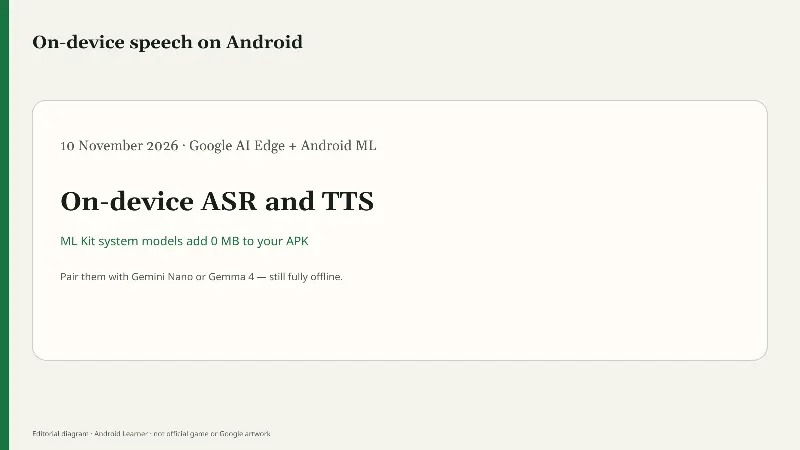
Google describes this as zero network latency in the on-device loop and as keeping the interaction on-device for privacy. That is about the model and tool orchestration running locally. If one of your tools calls a backend, that call still leaves the device.
GenerativeModel can already keep a client-managed history (USER / MODEL turns and a sessionId). AgentRunner instead gives you an AgentSession that records in-memory history across turns, and it caches static tool declarations and system instructions on-device to reduce time-to-first-token.
Requirements (from the official docs)
As documented on 18 November 2026:
- Android 14 (API 34) or higher, enrolled in the AICore Developer Preview program.
- Supported devices and Gemini Nano versions are listed on Google’s custom generation and agent device-support page—check that list before you plan a ship date.
minSdk26 or higher.- Kotlin 2.3 or higher.
- Dependency:
com.google.mlkit:genai-agent:1.0.0-alpha1. - If you define tools with Android AppFunctions, add
androidx.appfunctions:appfunctions:1.0.0-rc01and the matching KSP compiler.
These version numbers will move. Confirm them on the live developer page before you bump a production artifact.
The core types
Google’s guide names five pieces you will actually touch:
Agent— built withAgent.builder(). You set instructions, available tools, and guardrails. The documented default ismaxTurns = 10.AgentRunner— orchestrates the loop and sessions on top ofGenerativeModel. It is main-safe by default onDispatchers.IO.temperaturedefaults tonull(the model default); pass0.0fif you want greedy decoding.AgentSession— fromrunner.getOrCreateSession(sessionId). UserunAsync(content)andclose(). History stays in memory for that session.AgentEvent— a KotlinFlowof text tokens and tool updates, including partial text (AgentEvent.TextMessagewithisPartial).AgentTool/ AppFunctions — typed functions the model may call, declared with@AppFunctionDeclaration.
Failures surface as com.google.mlkit.genai.common.GenAiException, with documented codes including MAX_TURNS_EXCEEDED (-112), NOT_AVAILABLE (8), and BUSY (9).
Configure an agent and a runner
This configuration block is the pattern Android Developers show: system instructions plus automatic discovery of in-app AppFunctions.
import com.google.mlkit.genai.agent.Agent
import com.google.mlkit.genai.agent.AgentRunner

val agent = Agent.builder()
    .setName("OrderAssistant")
    .setInstructions(
        "You are a helpful assistant for looking up store orders. " +
        "Use available tools to fetch order information."
    )
    .enableAppFunctions(true) // discovers registered AppFunctions in your app
    .build()

val runner = AgentRunner(agent)
If you do not want every AppFunction in the process to be visible to the model, the docs describe addAppFunctionIds("fetchOrderDetails", "cancelOrder") to scope discovery to named function IDs.
A single AgentRunner can host several sessions at once. Each sessionId keeps its own history.
Define a typed tool
Tools are declared with AppFunctions. The official sample uses @AppFunctionSerializable and @AppFunctionDeclaration with KDoc (isDescribedByKDoc = true) so the model can see a description of the parameters and return type.
@AppFunctionSerializable(isDescribedByKDoc = true)
data class OrderDetails(
    val orderId: String,
    val status: String,
    val eta: String,
)

@AppFunctionServiceEntryPoint(
    serviceName = "OrderAppFunctionService",
    appFunctionXmlFileName = "order_app_functions",
)
abstract class OrderTools : AppFunctionService() {

    /**
     * Fetches details and delivery status for an in-app order.
     *
     * @param orderId The alphanumeric order identifier
     */
    @AppFunctionDeclaration(isDescribedByKDoc = true)
    suspend fun fetchOrderDetails(
        orderId: String
    ): OrderDetails = withContext(Dispatchers.IO) {
        // Query a local database or your own backend.
        OrderDetails(orderId, status = "Out for delivery", eta = "2:30 PM")
    }
}
Register the generated service in the manifest as the guide shows. Treat the function body as your trust boundary: validate IDs, enforce authentication, and do not let a hallucinated orderId skip authorization. Google also notes that AppFunctions can be restricted (for example with ACCESS_LEVEL_SELF) so external surfaces and system assistants cannot discover or execute them over IPC.
Run a turn and handle errors
session.runAsync(content) returns a Flow. Collect text incrementally, and catch GenAiException with the documented error codes:
session.runAsync(content)
    .catch { e ->
        if (e is GenAiException) {
            when (e.errorCode) {
                GenAiException.ErrorCode.MAX_TURNS_EXCEEDED -> {
                    // The agent hit maxTurns without a final response.
                }
                GenAiException.ErrorCode.NOT_AVAILABLE -> {
                    // Gemini Nano or AICore is unavailable.
                }
                GenAiException.ErrorCode.BUSY -> {
                    // System busy, or the app exceeded its quota.
                }
                else -> { /* other GenAiException */ }
            }
        }
    }
    .collect { event ->
        // Text tokens and tool updates.
    }
Practical implications:
NOT_AVAILABLE— the model or AICore is missing or not ready. Have a non-agent fallback (a standard UI, or a cloud model the user has opted into).BUSY— back off; do not spin a tight retry loop on the main thread.MAX_TURNS_EXCEEDED— the default of 10 turns was not enough, or the model is stuck calling tools. Narrow the instructions, reduce the tool set, or stop and ask the user to clarify.
Close sessions you no longer need.
How this fits with Gemini Nano 4
On 5 November 2026, Jingyu Shi’s Android Developers Blog post from the Android Developer Summit described the same direction: expanding ML Kit GenAI APIs so you can build agentic workflows entirely on-device. That post points at function calling in Gemini Nano 4, an Agentic API that auto-executes functions, saves history, and includes guardrails, plus related work such as an embeddings API (EmbeddingGemma 2, in alpha at the time of that post).
The same post summarizes internal testing claims for Gemini Nano 4 (built on Gemma 4): up to a 3× inference speedup and up to 4× lower memory use versus the previous Nano generation. Those figures are Google’s internal benchmarks, not a measurement of your app. Use them as a reason to test on the devices you actually support.
The Agent API page is the implementation contract for the runner, sessions, and tools. The Summit post is useful context, not a substitute for the API reference.
A conservative way to ship a preview API
- Confirm the device is on the supported list and that the user has (or can enable) the AICore Developer Preview bits your build needs.
- Keep
enableAppFunctionsscoped. PreferaddAppFunctionIdsover exposing every function in the app. - Make every tool idempotent or clearly transactional, and authorize every argument.
- Handle
NOT_AVAILABLEandBUSYin the UI. - Do not treat a successful tool call as proof that the model’s plan was right—show the user what will happen for destructive actions.
- Re-read the developer page when you leave alpha; artifact versions and device support will change.
Used this way, the Agent API is a way to keep short, private, on-device workflows in the app process—not a general-purpose assistant you can point at the whole system and forget.
Sources
- Build agentic workflows with Gemini Nano, Android Developers, last updated 18 November 2026.
- Define tools, ML Kit / Google for Developers.
- What’s new in intelligent apps at the Android Developer Summit, Jingyu Shi, 5 November 2026.
Diagrams are original editorial illustrations for Android Learner, not Google assets.